

To better serve students who are in need of accommodations, a new role has been created in eLearn to permit Accessibility Advisors to create exceptions for identified students for quizzes and exams. In the past, faculty have had to create these exceptions in their own course site, sometimes for several students with different accommodations in a single class.
Advisors will have access only to the settings in eLearn that will allow them to create exceptions – they won’t be able to change anything else in the course site – and this will only apply to time-limited quizzes and exams created in eLearn/Moodle, not to external publisher sites like Wiley, Pearson, McGraw Hill etc.
Participation in this process is optional and at the instructor’s discretion. However, the Centre for Accessibility Services strongly encourages instructors to take advantage of this assistance, to reduce last-minute issues and to help ensure students receive their approved accommodations.
More about the Accessibility Advisor role and creating exceptions for students with accommodations
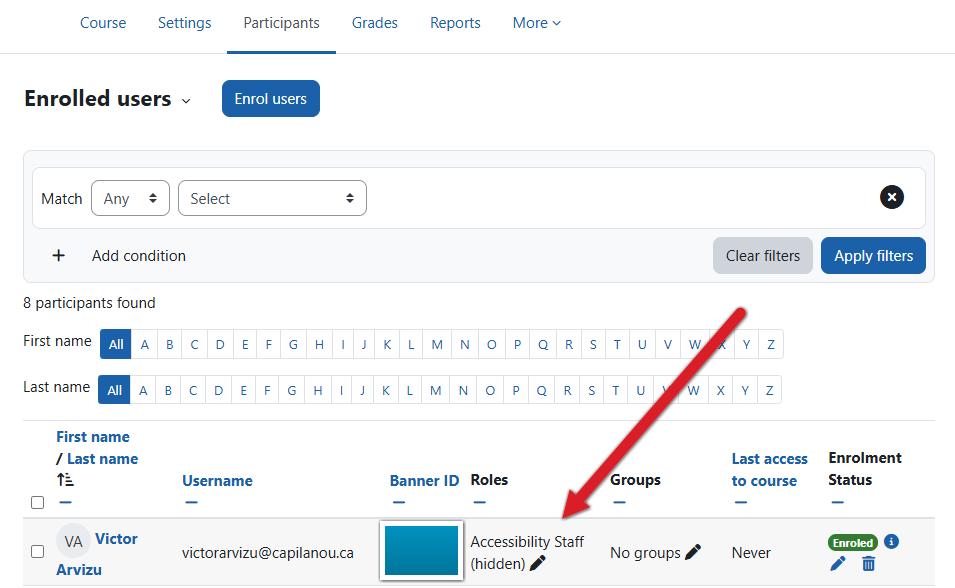
Instructions for adding an Accessibility Advisor to your course.
If you need any help setting this up, the Educational Technology Specialists in the CTE would be happy to help.
Recent Comments